

 By Ritesh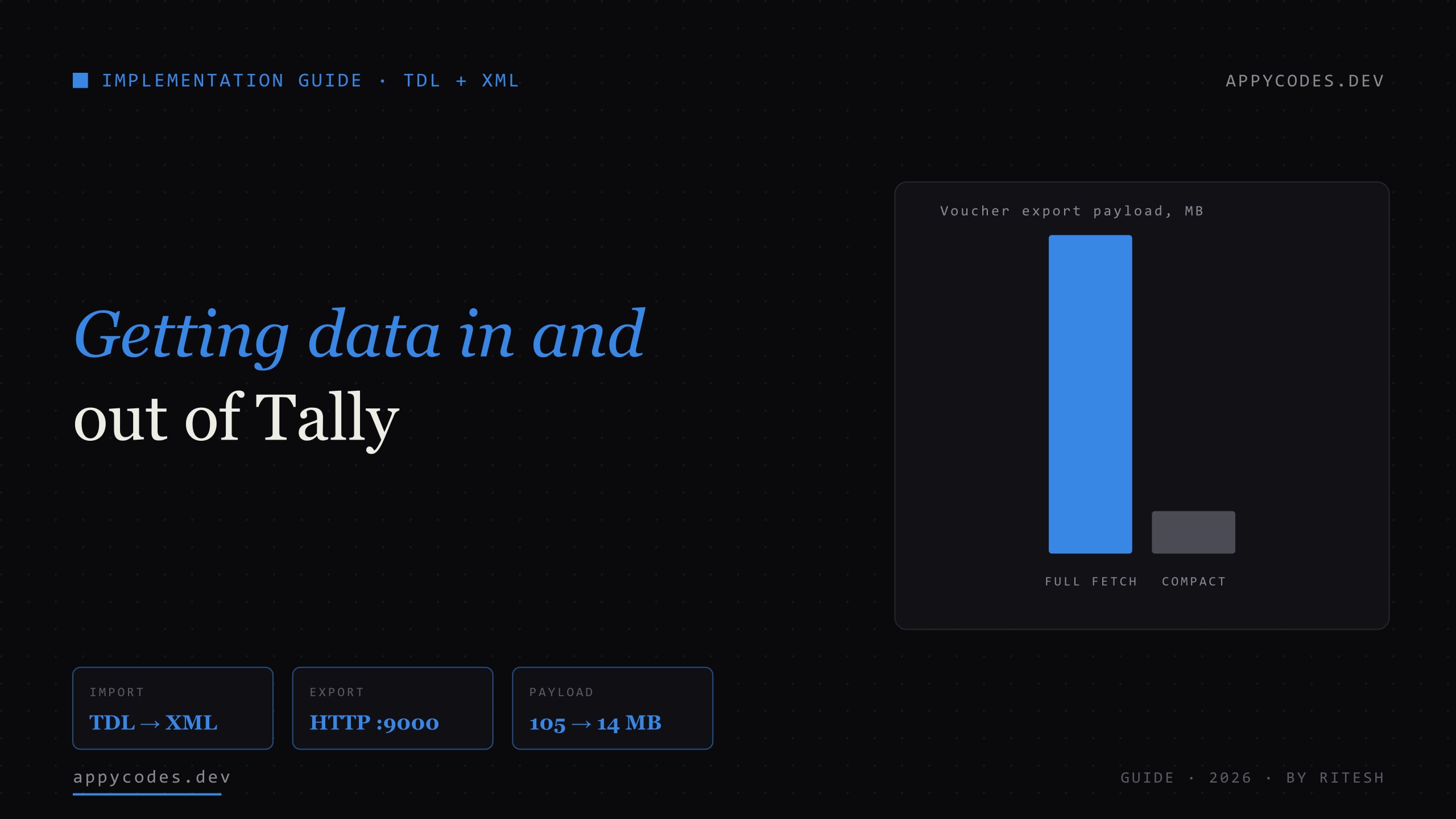
TL;DR
Tally exposes two integration surfaces, not one. The XML/HTTP gateway (port 9000) answers XML Export requests for reading and XML Import requests for writing, and it needs no TDL at all. TDL (Tally Definition Language) is for extending Tally itself, adding a menu, a custom report, a field, or a button that triggers a sync from inside Tally. Reach for the gateway first; add a TDL only when the workflow has to live inside Tally. Keep every credential and every business rule in a service outside Tally, and trial all imports on a restored backup before touching live books.
Why Tally integration feels harder than it is
Almost every Tally integration question starts the same way: "What's the Tally API?" There isn't one, at least not in the REST/JSON sense people mean. That single fact sends a lot of projects down the wrong road, buying a connector, screen-scraping exports, or writing a giant TDL for a job that needed twenty lines of XML.
Tally's data layer is older and stranger than a modern API, but it is completely workable once you see its shape. There are exactly two ways in and out, and the whole art of a clean Tally integration is picking the right one for the direction you need:
- The XML / HTTP gateway. TallyPrime runs a small HTTP server (port 9000) that speaks the same XML dialect Tally uses internally. You
POSTan Export request to read a collection of ledgers, vouchers or bills; youPOSTan Import request to write vouchers or masters. No add-on, no TDL, no license tier gate. This is the workhorse for anything that reads Tally data into another system. - TDL (Tally Definition Language). The language Tally itself is written in. You use it to extendTally, add a menu on the Gateway, define a custom report or field, or wire a button that fires an HTTP call and imports the result. TDL is how you make the integration feel native to a Tally operator, and how you reach data or actions the stock XML surface won't give you.
There's also an ODBC driver, useful for one-off pulls into Excel or Power BI, but for anything automated the XML gateway is more predictable and more portable, so that's what this guide focuses on, alongside TDL.
Getting data OUT of Tally: the XML gateway
This is the direction most integrations need, and the good news is it's the easy one. Enable connectivity in tally.ini (set TallyPrime to act as both client and server, ServerPort=9000), open the company, and the port answers XML requests. A read is a Collection export: you name a Tally object type (Ledger, Voucher, Bills, Group, Currency, VoucherType) and the fields you want.
<ENVELOPE>
 <HEADER>
  <VERSION>1</VERSION>
  <TALLYREQUEST>Export</TALLYREQUEST>
  <TYPE>Collection</TYPE>
  <ID>My Ledgers</ID>
 </HEADER>
 <BODY>
  <DESC>
   <STATICVARIABLES>
    <SVEXPORTFORMAT>$$SysName:XML</SVEXPORTFORMAT>
   </STATICVARIABLES>
   <TDL>
    <TDLMESSAGE>
     <COLLECTION NAME="My Ledgers" ISMODIFY="No">
      <TYPE>Ledger</TYPE>
      <FETCH>NAME, PARENT, COUNTRYNAME, LEDSTATENAME, CLOSINGBALANCE</FETCH>
     </COLLECTION>
    </TDLMESSAGE>
   </TDL>
  </DESC>
 </BODY>
</ENVELOPE>
POST that to http://127.0.0.1:9000 with Content-Type: text/xml and Tally streams back one <LEDGER> block per ledger. The same request shape, with <TYPE>Voucher</TYPE> and <SVFROMDATE>/<SVTODATE>in the static variables, gives you every voucher in a date range. Here's the read path in a few lines of Node, no dependencies:
const TALLY = "http://127.0.0.1:9000";

async function tallyCollection(type, fetches, { from, to } = {}) {
  const period = from
    ? `<SVFROMDATE TYPE="Date">${from}</SVFROMDATE><SVTODATE TYPE="Date">${to}</SVTODATE>`
    : "";
  const xml =
    `<ENVELOPE><HEADER><VERSION>1</VERSION><TALLYREQUEST>Export</TALLYREQUEST>` +
    `<TYPE>Collection</TYPE><ID>q</ID></HEADER><BODY><DESC><STATICVARIABLES>` +
    `<SVEXPORTFORMAT>$$SysName:XML</SVEXPORTFORMAT>${period}</STATICVARIABLES>` +
    `<TDL><TDLMESSAGE><COLLECTION NAME="q" ISMODIFY="No"><TYPE>${type}</TYPE>` +
    `<FETCH>${fetches.join(",")}</FETCH></COLLECTION></TDLMESSAGE></TDL>` +
    `</DESC></BODY></ENVELOPE>`;

  const res = await fetch(TALLY, {
    method: "POST",
    body: xml,
    headers: { "Content-Type": "text/xml" },
  });
  return res.text(); // raw Tally XML — parse from here
}

// e.g. every sales-relevant voucher for a financial year
const xml = await tallyCollection(
  "Voucher",
  ["DATE", "VOUCHERNUMBER", "VOUCHERTYPENAME", "PARTYLEDGERNAME", "AMOUNT", "ISCANCELLED"],
  { from: "20260401", to: "20270331" }
);
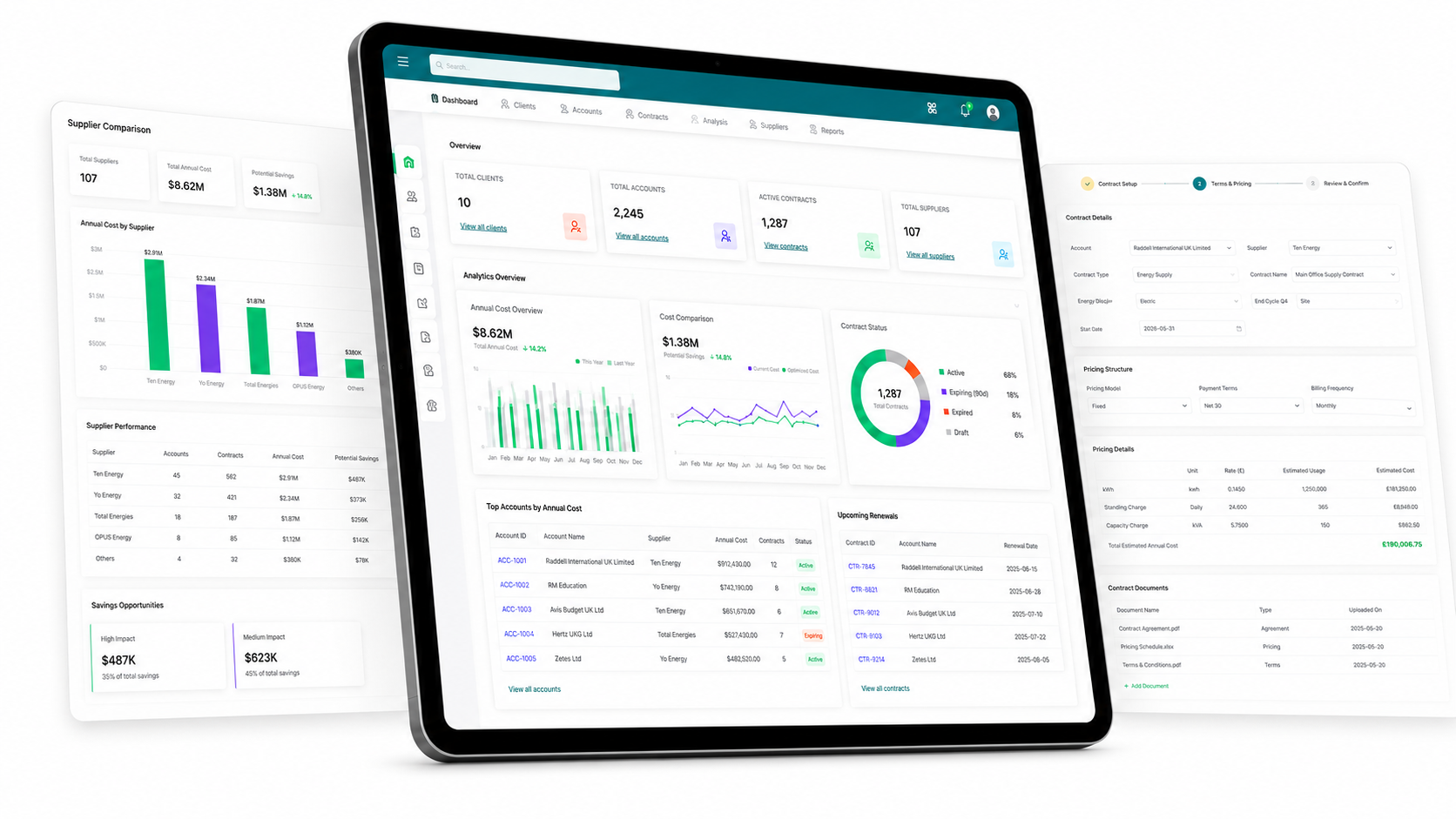
That's the entire read integration. Everything after it, month-on-month sales, receivables aging, cash flow, is parsing and aggregation on your side, in whatever language and UI you like. We built exactly this into a live Next.js dashboard that reads a company straight off port 9000 and renders sales by month, country and currency; the Tally side was this request and a tolerant parser.
Three things that will surprise you when reading
1. Don't fetch the world. Ask a voucher collection for its full ALLLEDGERENTRIES tree and a few thousand vouchers balloon into a hundred-megabyteresponse, we measured 105 MB where the compact field list was 14 MB. Fetch only the fields you need; go back for detail per-voucher if you must.
2. The XML isn't strict XML. Tally emits illegal entities (things like ) and Windows-1252 bytes inside nominally-UTF-8 output. A strict XML parser will choke. Decode as latin1, map the cp1252 punctuation range yourself, and parse tolerantly (regex over blocks) rather than with a validating parser.
3. Some characters are gone at the source.Tally substitutes symbols it can't encode, the ₹ sign and curly quotes come out as literal ?in the export. That's lost on the wire; don't waste hours trying to "fix the encoding" downstream.
Getting data INTO Tally: XML import
Writing is the mirror image: instead of an Export collection, you build an Import envelope containing TALLYMESSAGEblocks, one per master or voucher, and send it to the same port (or hand the file to Tally's Import menu). A sales voucher looks like this, trimmed to essentials:
<ENVELOPE>
 <HEADER><TALLYREQUEST>Import Data</TALLYREQUEST></HEADER>
 <BODY>
  <IMPORTDATA>
   <REQUESTDESC>
    <REPORTNAME>Vouchers</REPORTNAME>
    <STATICVARIABLES>
     <SVCURRENTCOMPANY>ACME EXPORTS LLP</SVCURRENTCOMPANY>
    </STATICVARIABLES>
   </REQUESTDESC>
   <REQUESTDATA>
    <TALLYMESSAGE xmlns:UDF="TallyUDF">
     <VOUCHER VCHTYPE="Sales" ACTION="Create" OBJVIEW="Invoice Voucher View">
      <DATE>20260723</DATE>
      <VOUCHERTYPENAME>Sales</VOUCHERTYPENAME>
      <VOUCHERNUMBER>INV-0151</VOUCHERNUMBER>
      <PARTYLEDGERNAME>Some Customer Ltd</PARTYLEDGERNAME>
      <ISINVOICE>Yes</ISINVOICE>
      <!-- Party (debit) side: Tally sign convention = debit is negative -->
      <ALLLEDGERENTRIES.LIST>
       <LEDGERNAME>Some Customer Ltd</LEDGERNAME>
       <ISDEEMEDPOSITIVE>Yes</ISDEEMEDPOSITIVE>
       <AMOUNT>-66080.00</AMOUNT>
      </ALLLEDGERENTRIES.LIST>
      <!-- Income + tax (credit) side -->
      <ALLLEDGERENTRIES.LIST>
       <LEDGERNAME>Sales GST</LEDGERNAME>
       <ISDEEMEDPOSITIVE>No</ISDEEMEDPOSITIVE>
       <AMOUNT>56000.00</AMOUNT>
      </ALLLEDGERENTRIES.LIST>
      <ALLLEDGERENTRIES.LIST>
       <LEDGERNAME>IGST</LEDGERNAME>
       <ISDEEMEDPOSITIVE>No</ISDEEMEDPOSITIVE>
       <AMOUNT>10080.00</AMOUNT>
      </ALLLEDGERENTRIES.LIST>
     </VOUCHER>
    </TALLYMESSAGE>
   </REQUESTDATA>
  </IMPORTDATA>
 </BODY>
</ENVELOPE>
Three rules save you from most import rejections:
- Sign convention: debit is negative, credit is positive. The party ledger on a sales invoice is a debit, so its amount is negative and the sum of the credit lines (income + taxes) must net against it.
- Masters before vouchers.A voucher referencing a ledger that doesn't exist fails. Import the party ledgers (
<LEDGER ACTION="Create">) first, or create them inline, then the vouchers. - Always balance. If rounding leaves a voucher a paisa out, Tally rejects the whole thing. Post the residual to a round-off ledger so every voucher reconciles, we add a balancing entry automatically for exactly this reason.
Guardrails we never skip on the write path
Keep a sync-ledger(a small JSON/DB record of what you've already posted, keyed by the source system's invoice ID) so a re-run never double-posts. Write the source ID into the voucher narration ([zid:xxx]) for audit. And always run the first import against a restored backupof the company, never live books, until you've read the created vouchers back and confirmed they're right.
When you actually need a TDL (and when you don't)
Here's the decision that saves the most time. You do not need a TDL to move data in or out, the XML gateway does both. You need a TDL when the workflow has to live inside Tally:
- A button/menu on the Gateway of Tally so an operator triggers the sync without leaving Tally. TDL adds the menu item and, on capable builds, fires the HTTP call.
- Custom fields or reportsthe stock XML surface doesn't expose, a UDF you store on vouchers, a bespoke print format, a report that computes something Tally doesn't.
- Import driven from within Tally, where the operator picks a file and Tally imports it via a TDL-defined report.
For a "pull my Tally data into a dashboard / website / Google Sheet" job, skip TDL entirely, a service talking XML to port 9000 is the whole thing, and it keeps your logic and credentials in code you control rather than inside the company file. We ship the credential and business logic in a tiny external service precisely so that if a laptop with the TDL walks out the door, nothing sensitive is exposed.
The TDL gotchas that will break your build
When you do write TDL, the single biggest trap is that TDL syntax is version-sensitive. The same file compiles on one TallyPrime release and errors on another. These are the four we hit most, in rough order of how often they bite:
1. Import File on a Report, error T0014
Several builds reject the Import File attribute on a [Report] definition outright:
error T0014: Incorrect attribute 'Import File' is used for the definition 'Report'.If you hit this, drop the in-TDL import button and import via Tally's own Import menu (Masters / Vouchers), pointing at the file your service generated. The XML is identical either way; you lose a button, not the integration.
2. Data Source : HTTP JSON and Export Header need 6.4.1+
Driving an HTTP call from inside a TDL collection (so a menu item fetches live data) relies on the Data Source : HTTP JSON collection source and the Export Header attribute. Both need TallyPrime release 6.4.1 or later; older builds reject them. On an older build, do the fetch in your external service and let Tally only handle the import step, or run the fetch from a browser/`curl` against your service.
3. Multi-line formulas silently drop the trailing operator
This one produces a baffling runtime "Bad formula!". When you split a [System: Formula] across lines with a trailing +, some builds join the lines and drop the operator, mangling the expression. Keep each formula on one line, and hoist conditionals into their own named formula:
;; Fragile — Tally may drop the trailing '+' when joining these lines:
ZSPrepareURL : @@ZSBaseURL + "/prepare?from=" + $$String:##ZSFrom +
               "&to=" + $$String:##ZSTo

;; Robust — one line each; conditional lives in its own formula:
ZSForceQry   : if ##ZSForce then "&force=1" else ""
ZSPrepareURL : @@ZSBaseURL + "/prepare?from=" + $$String:##ZSFrom + "&to=" + $$String:##ZSTo + @@ZSForceQry
4. Renamed system definitions and Display vs Alter
Stock field definitions like Short Date Field and Logical Fieldget renamed in some builds, if a field "won't compile" check the definition name against your release. And a subtle behavioural one: a report opened via Display is read-only, so input fields look dead; open a settings screen via Alter if the operator needs to edit values before the action fires.
The rule this all points to
Put as little logic in TDL as possible. Every line of TDL is a line that can break on the next Tally update, on a build you don't control, on a client's machine you can't see. Keep the real work, auth, mapping, aggregation, retries, in a service you own; let TDL be the thin button that calls it. A TDL compile failure should cost you a button, not the integration.
Reading receivables: bill allocations and sign traps
One pattern worth calling out because it unlocks a lot of use cases (aging, days-to-pay, due vs paid): Tally's Bills collection gives you every outstanding bill with its date and balance, and Receipt vouchers carry BILLALLOCATIONS with a BILLTYPE of Agst Ref that links a payment back to the exact invoice it settled. Match those two and you can compute, per customer, how many days an invoice takes to get paid, entirely from data Tally already holds. A receivable bill carries a negativeclosing balance (it's a debit), so "amount owed" is the negation, another place the sign convention trips people up.
Use cases: which surface for which job
Mapped to what people actually search for when they want to "integrate Tally with something":
- Tally → BI dashboard / live reporting. XML export only. Read vouchers, ledgers and bills off port 9000 on a schedule (or on demand) and render wherever, a web app or an internal dashboard. No TDL.
- Tally → Excel / Google Sheets. XML export (or ODBC for a one-off). A tiny scheduled script writes a CSV or pushes rows to a Sheet. No TDL.
- Zoho Books / QuickBooks / accounting-tool → Tally.XML import. Read from the other system's API, map to Tally vouchers, post via the gateway. Treat the two directions as separate jobs; keep a sync-ledger. This is a classic API & integration shape.
- E-commerce / website orders → Tally. XML import, usually queued. Orders land in your app, a workflow batches them into voucher payloads, and a service posts them, with the same balance and masters-first rules.
- CRM ↔ Tally (contacts, outstanding).Both directions: export party ledgers and balances out for the CRM to show "who owes what"; import new customers in as ledgers when the CRM creates them.
- An operator-triggered sync inside Tally. This is the one that justifies a TDL, a menu item on the Gateway that calls your service. Even then, the service does the work.
The shape of a clean Tally integration
Everything above collapses into one architecture we reuse:
- A small service you own(Node, Python, anything) holds the credentials and the mapping logic, and talks XML to Tally's port 9000 for both read and write.
- TDL, if any, is a thin shim, a menu item and maybe a fetch, nothing that would hurt to lose on a Tally update.
- State lives outside Tally: a sync-ledger to stop double-posting, a token cache for whatever external API you're bridging, logs you can actually read.
- Every write is reversible and audited: trial on a backup, write the source ID into narration, balance every voucher.
Do that and Tally stops feeling like a walled garden. It becomes just another system with a slightly odd wire format, one you can pull a live dashboard from, or feed from Zoho, a website, or a CRM, without betting the integration on a TDL surviving the next update.
Related engineering write-ups from the same toolbox:
Guide
Stripe Webhooks End-to-End
Signature verification, idempotency, replay and dead-letter, the same reliability rules a Tally write path needs.
Research
Zapier vs Make vs n8n vs Custom Code
The real cost of 10,000 workflow runs, useful when a Tally sync is one node in a larger automation.
Guide
WordPress to Headless Next.js
Reading data a legacy system already exposes and rendering it fast, the same move as a Tally dashboard.
The engagements this kind of work fits into:
Service
API & Integration
Bridging systems that don't share a protocol, Tally, Zoho, CRMs, custom apps.
Service
Internal Tools & Dashboards
Live reporting on data locked inside desktop accounting software.
Service
Workflow Automation
Order-to-voucher, invoice-to-Tally, the batching and retries around a sync.
Frequently asked questions
- Does Tally have a REST API?
- No. TallyPrime has no REST/JSON API. What it does have is an HTTP server that speaks XML (the same request/response format Tally uses internally), plus TDL (Tally Definition Language) for extending Tally itself and an ODBC driver. To read data out, you POST an XML Export request to that server on port 9000; to push data in, you POST an XML Import request. Any "Tally REST API" you see is a third-party wrapper someone built on top of this same XML layer.
- Do I need to write a TDL to integrate with Tally?
- Usually less than you think. Reading data out of Tally needs no TDL at all: the XML gateway answers Collection export requests directly. You only need a TDL when you want a button inside Tally to drive the sync, or when you need custom fields/reports that stock Tally does not expose. For most "pull Tally data into a dashboard / website / Excel" jobs, a small service that talks XML to port 9000 is the whole integration.
- Which port does the Tally XML gateway use?
- Port 9000 by default, configured in tally.ini as ServerPort=9000 with the connectivity mode set so TallyPrime acts as both client and server. Tally must be open with the company loaded for the port to answer. Note that the licensing/gateway service (port 9999 in newer builds) is a different thing and does not accept data requests.
- Why does my Tally TDL fail to compile after a Tally update?
- TDL syntax is version-sensitive. Attributes and system definitions get added, renamed, or restricted between releases. The three that bite most often: the `Import File` report attribute (rejected with error T0014 on several builds), the `Data Source : HTTP JSON` collection source and `Export Header` (need TallyPrime 6.4.1+), and renamed system field definitions like `Short Date Field`. Always test a TDL against the exact build the client runs, not just "TallyPrime".
- How do I export data from Tally to Excel or a website automatically?
- Point a small script at the XML gateway on port 9000 and send a Collection export request for the ledgers, vouchers or bills you need. Tally returns XML; you parse it and write it wherever you want — a Google Sheet, a Postgres table, a Next.js dashboard, a nightly CSV. No TDL required for the read path. The only constraint is that Tally has to be running with the company open, so this typically runs on the same machine or LAN as the Tally install.
- Can I sync Tally with Zoho Books, QuickBooks or my CRM two ways?
- Yes, but treat each direction separately. Reading from Tally and writing to the other system is one job (XML export out of Tally, that system's API in). Writing into Tally is the other (build an XML Import voucher payload). The safe pattern is to keep all credentials and business logic in a service outside Tally, use a sync-ledger to prevent double-posting, and always trial imports on a restored backup of the company before touching live books.