
custom WordPress development for business

    Custom WordPress Development for Business

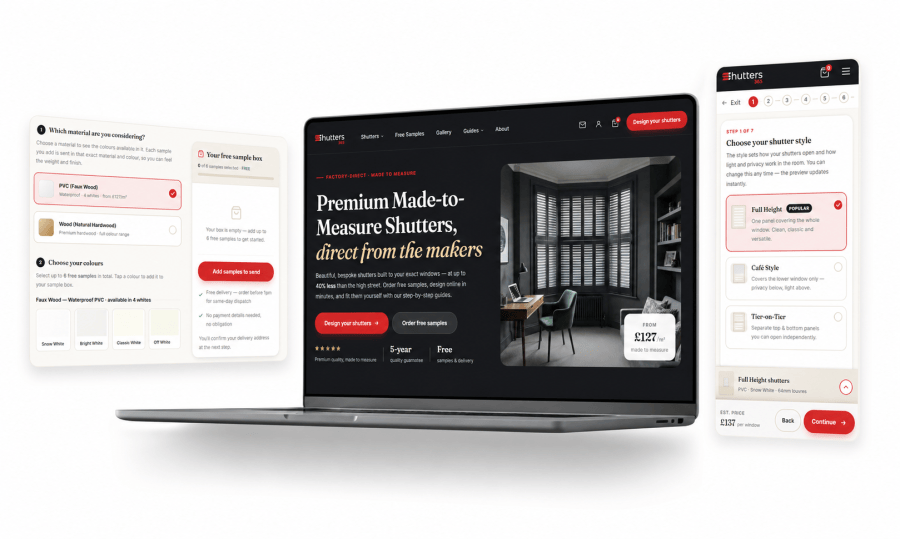
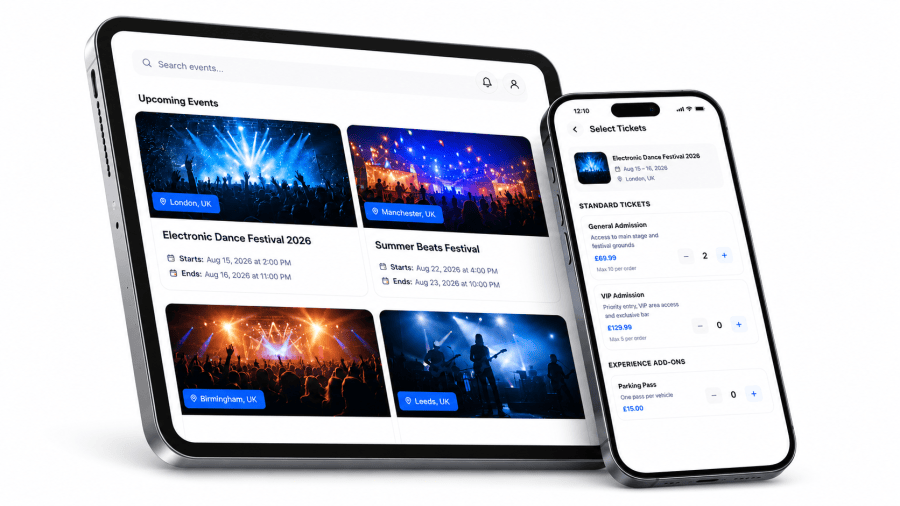
    We treat WordPress as an application platform, not a CMS. Complex B2B marketplaces, membership sites, generators, internal tools, and bespoke business systems — engineered properly, deployed through CI, maintained for years.

    Custom WordPress development for business platforms

    ■ Who this is for

    A good fit if you're running a real business on WordPress

    • Businesses building B2B marketplaces, membership sites, or LMS platforms on WordPress
    • Companies running complex generators, calculators, or workflow tools that started in WordPress
    • Founders who outgrew page builders and need real custom development
    • Internal teams maintaining bespoke WordPress applications that need senior engineering capacity
    • Operations teams replacing legacy admin tools with WordPress-based custom systems

    ■ Probably not a fit

    We'll be honest if WordPress is the wrong call

    • Pure brochure sites that need a theme, not custom development
    • Quick template-and-go builds under $5k
    • Projects where WordPress is genuinely the wrong platform — we'll tell you when
    • Teams looking for a managed WordPress hosting reseller
    TEFL Institute logo

    Case Study · LMS + Ecommerce on WordPress

    100K+

    Orders processed

    10+ yrs

    Partnership

    Stack

    WordPress · WooCommerce · Custom plugins · PHP

    ■ Real work

    A decade of WordPress for TEFL Institute of Ireland

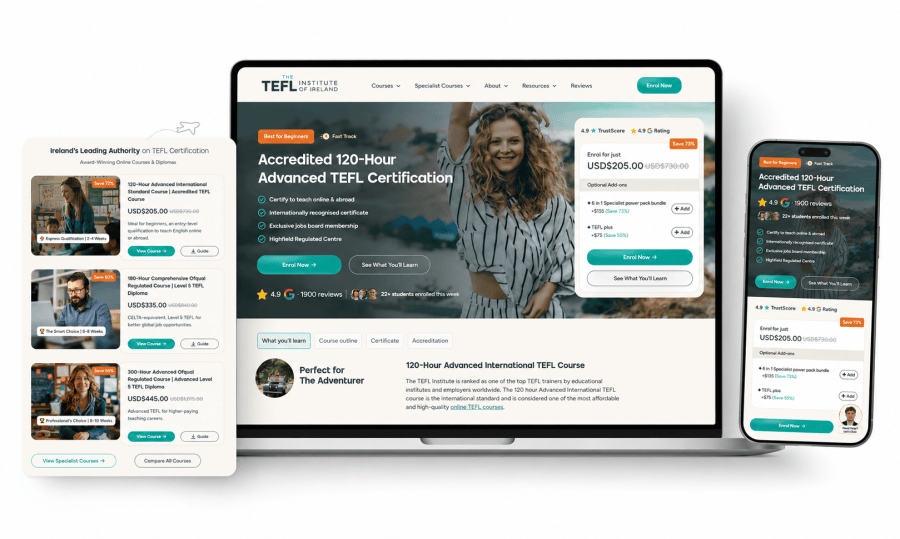
    TEFL Institute of Ireland runs an ecommerce and learning management platform that sells and delivers teaching qualifications worldwide. The platform has handled more than 100,000 orders, runs on top of WordPress and WooCommerce, and has been our client for more than ten years. That tenure tells you the platform has not stood still — courses, payment flows, certifications, and student dashboards have all been rewritten multiple times.

    The interesting engineering was building the LMS and certification logic without abandoning WordPress. We wrote custom plugins for course delivery, integrated payment flows for international markets, and built the admin tools that the TEFL team uses daily to manage students and tutors. None of this was off-the-shelf — but using WordPress as the base meant the team kept an admin they already understood.

    Ten years in, the platform still ships new features regularly. That only happens when the WordPress codebase is treated like software — proper version control, staging, code review, and custom plugins designed to be replaced one piece at a time.

    ■ How we approach WordPress

    Our opinionated WordPress stack — and why

    We have strong opinions on how WordPress should be built when the product matters. Here is what we reach for by default and the reasoning behind each choice. We deviate when there is a real reason — not because something is trending in the WordPress space.

    Custom plugins over heavy themes

    Business logic belongs in plugins, not in functions.php or a child theme. Plugins are versioned, testable, replaceable, and survive theme switches. We write them with proper namespacing and clean APIs so the next engineer to touch the codebase isn't decoding 4,000 lines of theme glue.

    ACF / Carbon Fields for structured data

    Custom post types and meta boxes done well make WordPress feel like an application. We use ACF or Carbon Fields for the data model, not page builders. The editor stays simple. The data stays queryable. The admin stays fast.

    Composer + version control + CI

    WordPress core, themes, plugins, and custom code all in one git repo. Composer manages dependencies. CI runs tests and deploys to staging and production. The WordPress admin is for content, not for code changes — anything that touches code goes through the same pipeline as any serious application.

    WooCommerce when it fits — custom when it doesn't

    WooCommerce is the right base for product, cart, checkout, and order flows. We use it when the marketplace looks like commerce. When the model is genuinely bespoke — multi-vendor with custom margins, escrow, subscriptions with mid-cycle changes — we build the data model ourselves and integrate Stripe directly.

    Headless when it earns it

    Headless WordPress with a Next.js or React front-end is great for performance and Core Web Vitals — but it costs you the editor preview experience. We go headless when the front-end demands it (a SaaS-style app, a complex marketplace UI). We stay monolithic when the editor team needs unified admin and live preview.

    Hosting — Cloudways, Kinsta, or self-hosted

    Cloudways or Kinsta when the team wants managed WordPress with object cache, edge cache, and a sane staging workflow. Self-hosted on AWS or DigitalOcean when the application is heavy enough that we want full control over Nginx, Redis, and the database. We avoid shared hosting for anything serious.

    ■ Real work

    Knowledge platform for Hornet Security

    Hornet Security is a $200M ARR cybersecurity company. We developed six platforms for them, including their public-facing knowledge base and customer forum — both built on WordPress with custom plugin work that ties into their broader product ecosystem.

    The challenge with knowledge bases at that scale is not the content — it's the search, the cross-referencing between articles, the multi-language structure, and the way edits flow through review before they go live. We built custom plugins to handle each of those, layered on top of WordPress's editor and user roles. The team that maintains the content didn't have to learn a new tool.

    Building for a $200M ARR company means the platform has to be reliable in ways most WordPress sites are not. Background jobs for indexing. Granular permissions. Full audit trails. WordPress is more than capable of all of this when it's built that way from the start, not bolted on later.

    Hornet Security logo

    Case Study · Knowledge Platform

    $200M

    ARR company

    6

    Platforms developed

    Stack

    WordPress · PHP · Custom plugins

    ■ How we work

    From kickoff to live business platform, in six steps

    01

    Discovery and architecture

    One week. We map the product, the user roles, the data model, and the parts of the business that the WordPress side actually has to support. Output: a written architecture, a plugin plan, and a concrete delivery plan for the first 90 days.

    02

    Stack lock and infrastructure

    We choose the WordPress stack — hosting, base plugins, custom plugin structure, theme strategy, page builder vs custom blocks, headless or monolithic. Infrastructure is set up with staging, version control, CI, and backups before any production code lands.

    03

    Sprint zero

    Theme scaffolding, base custom plugins, ACF or custom post types, deploy pipeline, staging environment, and the WordPress admin set up the way the team will actually use it. By the end of sprint zero you can log into a working WordPress install and see the product taking shape.

    04

    Feature sprints

    Two-week sprints. Custom plugins shipped through CI, not through the WordPress admin upload screen. Every change reviewed. Scope changes get re-baselined at sprint boundaries, not mid-sprint. You see progress every Friday.

    05

    Pre-launch hardening

    Performance pass — object cache, page cache, database tuning, plugin audit. Security pass — file permissions, hardened wp-config, automated backups, security headers. Load test against realistic peak. Launch with monitoring and uptime alerts already running.

    06

    Launch and 30-day stability watch

    We stay on full availability for the first month after launch. Real users surface real bugs. Then we move into the standard maintenance and feature retainer — most WordPress applications need one because of plugin updates, core updates, and security patches that need active management.

    ■ Honest comparison

    Appycodes vs your other WordPress options

     Page-builder agencyWP freelancerIn-house WP devAppycodes
    Custom plugin developmentLimitedMixedYesYes
    Handles complex business logicRarelyMaybeYes — once hiredYes
    Builds B2B marketplaces / membership sitesNoSometimesIf they prioritise itYes
    Headless WordPress capabilityRarelyRarelySometimesYes
    Code in version control + CINoMixedYesYes
    Time to start1-3 weeks1-2 weeks8-16 weeks1-2 weeks
    Continuity if someone leavesMixedHigh riskYesBuilt in

    None of these is universally right. A page-builder agency is fine for marketing sites. A WordPress freelancer is fine for narrow, focused tasks. We are the right call when the WordPress side is genuinely a business platform — complex enough that getting it wrong is expensive and getting it right requires real engineering.

    ■ Questions we get

    Real questions from real businesses

    If yours is not here, ask us directly.

    About the author

    Ritesh — Founder, Appycodes

    Ritesh leads engineering at Appycodes and has spent the last decade shipping WordPress applications for serious businesses across the UK, US, India and Australia — including TEFL Institute of Ireland's LMS, Hornet Security's knowledge platform, PlusHeat's subscription system, and others. His focus is on production engineering: the unglamorous decisions that keep a WordPress platform reliable, fast, and easy to change years after launch.

    Taking the first step is the hardest. We make everything after that simple.

    Let's talk today