Turn your Lovable, Claude or Bolt web app into a real native mobile app
You vibe-coded a web product. Now you want it on the App Store and Play Store. We reuse your existing backend, database and APIs and rebuild the frontend in React Native or Flutter, so you ship a real native app, not a wrapped website. Already done for GravityOne and Style Cypher.
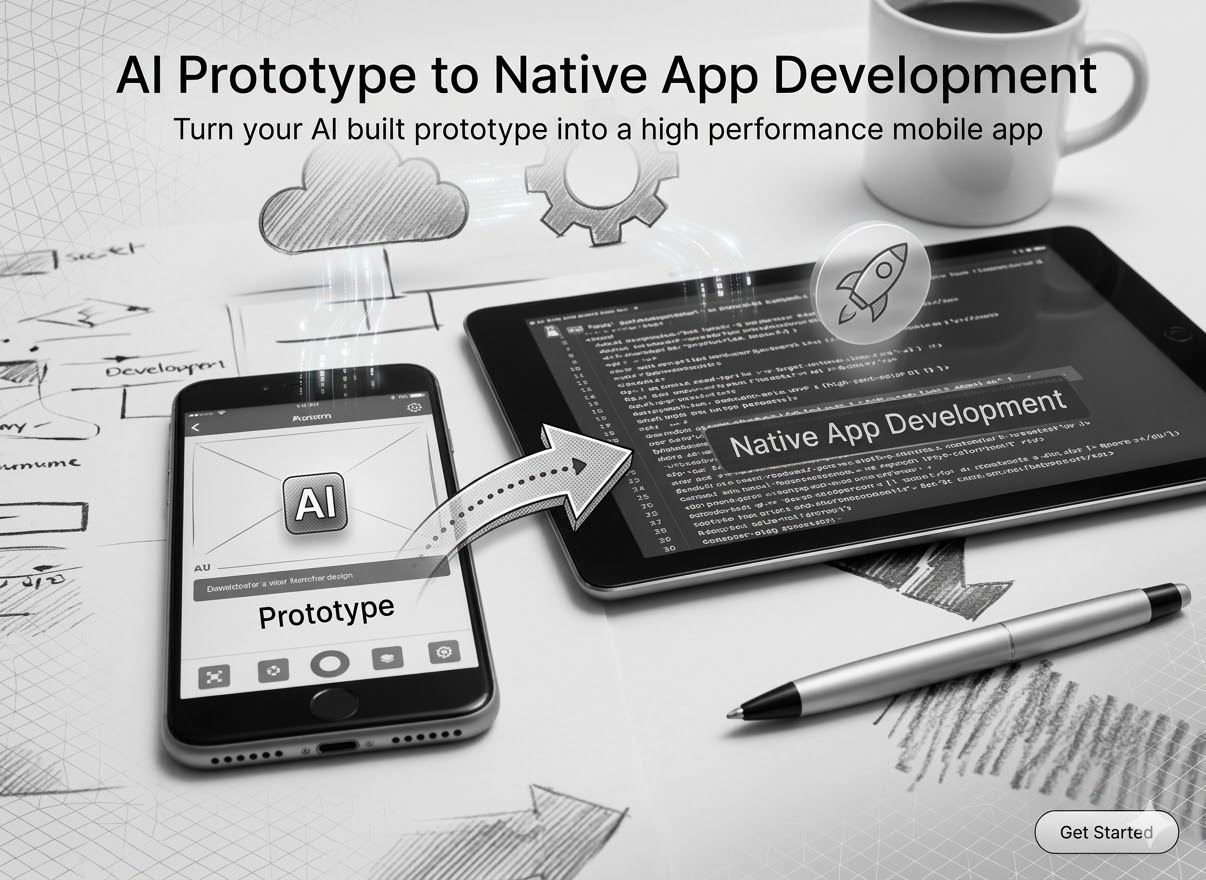
What we convert
From AI-built web app to both app stores
We take the web product you already have and ship it as a real native app on iOS and Android, reusing everything that should be reused and rebuilding only what makes the app feel native.
Who this is for
A good fit if you have already built a web app and now need mobile
- Founders who built a working web app on Lovable, Claude, Bolt, v0 or AI Studio and now need iOS and Android
- Teams with a production web product whose backend, database and APIs already exist and should be reused
- Vibe-coded UIs without a backend yet: we will build the API layer and the native app together
- Companies that want one team handling backend continuity and the mobile frontend, not two
- Products where the mobile app needs to share business logic, auth, billing and data with the web app
Probably not a fit
We will be honest if a native mobile app is the wrong call
- Marketing-only websites that do not need a mobile app at all
- Native-only apps that depend on heavy platform-specific UX or AR / VR
- Hourly fix-ups on an existing native codebase under $5k of scope
- Wrap-the-website-in-a-webview projects: we do not ship those, users notice within a week
Two paths from web to native
We pick the path based on how much of your web app already works
Most projects we take on fall into one of two shapes. The work and the timeline change meaningfully between them. We will tell you which path you are on in the first call.
Path A · 8 to 12 weeks
Web app with a working backend, database and APIs
You built a real web product on Lovable, Claude, Bolt, v0 or AI Studio. There is a Supabase / Firebase / Postgres / MySQL database, an auth layer, API endpoints that already serve the web app, and probably a billing integration. We reuse all of it.
- Same database, same APIs, same auth, no duplication
- Shared types, validation schemas and API client across web and native
- React Native picks up business logic from the React web app cleanly
- Light backend hardening: rate limits, RLS audit, mobile-specific endpoints
Path B · 12 to 18 weeks
Web app is UI-only, backend, database and APIs do not exist yet
The vibe-coded version got you a beautiful frontend and a clear product idea, but the data lives in fake state, the login is fake, and the payments never went live. We take the UI as the product reference and build the backend, the database and the API surface properly, then build the native app on top.
- Data model, schema and migrations designed from scratch, not retrofitted
- Production API in Node, Supabase or Laravel, shared by web and native
- Auth, billing, file uploads, search and notifications wired up properly
- Web frontend wired into the real backend in parallel with the native build
You built a real web product on Lovable, Claude, Bolt, v0 or AI Studio. If you want the database and API layer hardened first, our Supabase development work covers exactly that before the native build starts.
What carries across
The web-to-native code sharing matrix
A common question on the first call: how much of my web code actually gets reused? The honest answer is layer-by-layer. Some layers port across almost untouched. Others have to be rebuilt because mobile interaction patterns are genuinely different. Here is the matrix we use to set expectations before kickoff.
Backend (API, DB, business logic)
Same endpoints serve both clients. No duplicate API surface.
Auth and session
Same Supabase / Firebase / Clerk / Auth0: users sign in with the same account.
Billing and subscriptions
Same Stripe customer IDs, same plans, same dunning flows.
Validation schemas (Zod)
Lifted into a shared package and imported by both clients.
TypeScript types
Single source of truth, shared verbatim across web and native.
API client
fetch wrapper, retry, error mapping are shared. Only the network adapter differs.
Business logic and state
Most stores and queries port directly. Mobile-specific lifecycle hooks differ.
Design tokens
Same colours, type and spacing drive RN StyleSheet and web CSS.
UI components
Visual parity, but mobile uses Pressable / TextInput / native primitives.
Layout and navigation
React Router on web vs React Navigation on mobile: a different model entirely.
Animations and gestures
Reanimated and Gesture Handler on RN; CSS transitions on web.
Platform integrations
Push, biometrics, deep links, camera: native-only by design.
The takeaway: every layer that defines what your product does ports across cleanly. The layers that have to be rebuilt are the ones that define how the product feels on the device, and that is the part you want to rebuild, because that is what makes the app feel native rather than wrapped.
Case study · Web to native
Stack
React Native · TypeScript · Supabase · Node.js
Real work
GravityOne: Lovable web app, shipped to both stores in React Native
GravityOne came to us with a working web product built on Lovable. The database, the auth layer and the API endpoints were already in production and serving real users on the web. The question was how to get the same product into the App Store and Play Store without rebuilding everything from scratch, and without ending up with two diverging codebases six months later.
We reused the entire backend. The same Supabase database, the same RLS policies, the same API endpoints. We extracted the validation schemas and the API client into a shared TypeScript package so the React web app and the new React Native app could import from the same source. New features ship to both surfaces in the same sprint because the business logic only lives in one place.
The two engineering decisions that paid off most: investing early in a tested offline read layer with SQLite + sync, so the app feels instant even on patchy connections, and being deliberate about which screens needed native gestures (the feed and the messaging surface) versus which could lean on the standard navigation primitives. The build hit both stores on the first submission with no rejections.
React Native vs Flutter
We do both. We do not recommend both for the same product.
Lovable, Claude, Bolt, v0 and AI Studio all output React. That tilts the default toward React Native because the language, the type system and the component model carry across. Flutter is a great alternative, but the case for it has to be specific. Here is how we choose.
React Native, default for AI-built web apps
Same language as your existing React web app, same component model, same type definitions. The validation schemas, the API client and a meaningful chunk of business logic move across the boundary without rewriting. Expo's bare workflow gives us EAS for builds and OTA plus full access to native modules when we need them.
Flutter, when the case for Dart is real
Flutter wins when you already have Dart expertise, when pixel-identical rendering across platforms is a hard requirement, or when the design language depends on highly custom canvas-style UI. We have shipped Flutter when it was the right call. Most AI-built web products are not in that category: React Native carries more of the work across.
Shared backend, the same API for web and native
Both clients hit the same endpoints. The mobile app does not get its own duplicate API surface that drifts from the web one over six months. We add mobile-specific endpoints only where the payload genuinely needs to differ (lighter list responses, push token registration, app-version gates).
Auth, billing and storage, reused as-is
Supabase Auth, Firebase Auth, Clerk, Auth0: whatever the web app uses, the native app uses too. Stripe billing reused via the same customer IDs. File uploads reuse the same buckets. Users do not get a second account because they downloaded the app: they sign in and pick up where they left off.
State, storage, offline, boring on purpose
Zustand or Redux Toolkit for state. React Query for server state. SQLite via WatermelonDB for anything that needs to be readable offline. We avoid clever sync-by-magic libraries: the conflict logic always becomes a debugging tax later. Explicit sync that the next engineer can read and reason about ages well.
Builds, OTA, distribution, Expo EAS or CodePush
EAS for builds, signing and submission to both stores from a single config. EAS Update or CodePush for OTA updates of the JavaScript bundle so a typo fix ships the same day instead of waiting on store review. Native module changes still need a real store update: we are deliberate about which change goes which path.
Case study · UI-only to full stack
Stack
React Native · Node.js · PostgreSQL · TypeScript
Real work
Style Cypher: vibe-coded UI, full backend and native app built around it
Style Cypher came to us with a beautiful AI-built web frontend and almost nothing behind it. The product idea was clear from the UI, a fashion and style discovery experience, but the data was mocked, the login was a stub, and there was no API layer. They wanted the same product on iOS and Android, and they wanted the web app to actually start working too.
We took the vibe-coded UI as the product reference and designed the data model around it. PostgreSQL schema, migrations, an authenticated REST API, image storage, search, and the AI-powered recommendation surface that the product was promising. The same API now serves both the rebuilt web app and the new React Native app: one backend, two clients, no duplication.
The decision we made early that paid off: treating the AI generated UI as a reference design, not as production code. We rebuilt the components inside a proper design system so the React web app and the React Native app could share the same primitives and the same look. Six months later, the team is shipping features to both surfaces in the same sprint instead of fighting two diverging UIs.
How we work
From a vibe-coded web app to live on both stores
Code and backend audit
One week. We read the existing Lovable / Claude / Bolt / v0 / AI Studio codebase end to end, document the data model, the API surface, the auth, the billing and the third-party integrations. Output: a written architecture, what we can reuse, and what needs hardening.
Path A or Path B decision
If the backend exists and is healthy, we go straight to mobile architecture. If the backend is UI-only state, we plan the backend build in parallel. Either way, the decision is documented before we start writing production code.
Shared foundations
Shared TypeScript package for types and validation. Shared API client. Shared design tokens. The native app does not duplicate logic that already exists on the web, it imports it. Mobile-specific endpoints get added to the same API, not a parallel one.
Feature sprints
Two-week sprints. Internal builds shared via TestFlight and Firebase App Distribution after every sprint. Scope changes get re-baselined at sprint boundaries, not mid-sprint. The web app and the native app stay in lockstep on shared business logic.
Pre-launch hardening
Performance pass on real low-end Android devices, offline scenarios tested deliberately, push notification flows verified end to end, store listing copy and screenshots prepared, privacy declarations filled in, App Tracking Transparency wired up where needed. Crash reporting and analytics live before submission.
Submission and 30-day stability watch
We submit to both stores, handle reviewer back-and-forth, and stay on full availability for the first month after launch. Real users surface issues no internal test catches. Then we move into a standard maintenance and feature retainer covering web and native together.
Honest comparison
Appycodes vs your other options for getting a web app onto mobile
| Capability | Wrap-in-WebView | Rebuild from scratch | Freelance RN dev | Appycodes |
|---|---|---|---|---|
| Reuses your existing backend | Yes | No, full rebuild | Sometimes | Yes |
| Feels native on iOS / Android | No | Yes | Depends | Yes |
| Survives App Store review | Often rejected | Yes | Depends | Yes |
| Time to both stores | 2 to 4 weeks | 6 to 12 months | Variable | 8 to 18 weeks |
| Web and native stay in lockstep | By accident | Diverges fast | No | Yes, shared logic |
| Continuity if someone leaves | Low risk (small surface) | High risk | High risk | Built in |
| Owns code, backend and IP | Yes | Yes | Mixed | Yes, fully |
None of these options is universally wrong. A WebView wrapper is fine for an internal-only tool with five users. A full rebuild is right when the web app has been a throwaway. We tend to be the right call when you want the native version of your existing product shipped quickly, with the backend reused, and with one team holding the line on web-native parity afterwards.
If you built the web app on Lovable, Claude, Bolt, v0 or AI Studio with a real backend (Supabase, Firebase, Node, Laravel, Python, anything), we reuse the database, the API layer, the auth, the billing and any third-party integrations you already have. The mobile app talks to the same endpoints the web app does. You ship a mobile app without paying to rebuild the backend twice.
Common case. We take your existing web UI as the visual and behavioural reference, design the data model and the API surface properly, build the backend and database from scratch, and then build the native app on top. The web app and the native app share the same backend from day one: no duplicate APIs, no diverging schemas.
We default to React Native when your web app is already in React (Lovable, Bolt, v0, Claude, AI Studio all output React) because the team, the components, the validation logic and the type definitions carry across the boundary cleanly. We pick Flutter when there is existing Dart expertise on the team or when pixel-identical rendering across iOS and Android is a hard requirement. We will tell you directly which one fits your product, not which one we want to write this month.
The whole backend, obviously: API, database, business logic, auth, billing. On the frontend, with React Native we typically share types, validation schemas (Zod), API client code, and a meaningful chunk of business logic and state management. UI components are different because mobile and web have different interaction patterns, but they look and feel like the same product because the design system primitives port across.
Native. React Native and Flutter render real native UI components, not HTML inside a webview. Animations run on the GPU, navigation matches platform conventions (iOS swipe-back, Android system back), and screen transitions stay under 100ms on entry-level devices. The wrap-the-website approach gets rejected by reviewers and abandoned by users, we do not ship it.
Yes. Build configuration, signing, capabilities setup, store listing copy, screenshots, privacy declarations, and the reviewer back-and-forth when rejection happens. We have shipped enough apps to know which rejection reasons are likely for AI-built products and how to pre-empt them before submission.
Push via FCM and APNs (Expo, or bare RN), with deep links into specific screens. Offline reads via SQLite or WatermelonDB with an explicit sync layer. OTA updates via EAS Update or CodePush so we can ship JavaScript fixes the same day without waiting for a store review. Native module changes still go through a real store update, we are deliberate about which change goes which path.
When the backend already exists and is healthy, 8 to 12 weeks from kickoff to both stores. When we need to build or harden the backend first, 12 to 18 weeks. Faster than this is usually a wrap-the-website project that gets rejected; slower than this usually means scope has crept past the native version of the web product.
Yes. Code lands in your GitHub. Backend deploys to your cloud accounts. App Store and Play Store listings are on your developer accounts, not ours. We do not hold the keys to your product: that is a non-negotiable principle on every engagement.
Yes, that is how most of our engagements run. The same team works on the shared backend and on both frontends, so a feature shipped on the web is on the roadmap for the native app the same sprint, not three months later when someone remembers.

Ritesh · Founding Partner, Appycodes
Ritesh leads engineering at Appycodes and has spent the last decade shipping web and native mobile products for funded startups across the UK, US, India and Australia. His focus is on production engineering for AI-built products: taking Lovable, Claude, Bolt and v0 codebases past the prototype boundary and onto real users' phones.
Web to native
Got a vibe-coded web app that needs to be on the App Store? Let's talk.
More in Mobile Apps
Web & SaaS
Mobile Apps
- React Native App Development
- Web App to Native Mobile App
- AI Prototype to Native App
- App Store Launch
E-commerce & Payments
WordPress
CMS & Platforms
37 services across 7 practice areas.